
Empowering Tech-Savvy Librarians on a Budget

Tag: 3D Printing

  • A Beginner’s Guide to MakerSpaces for Small Libraries

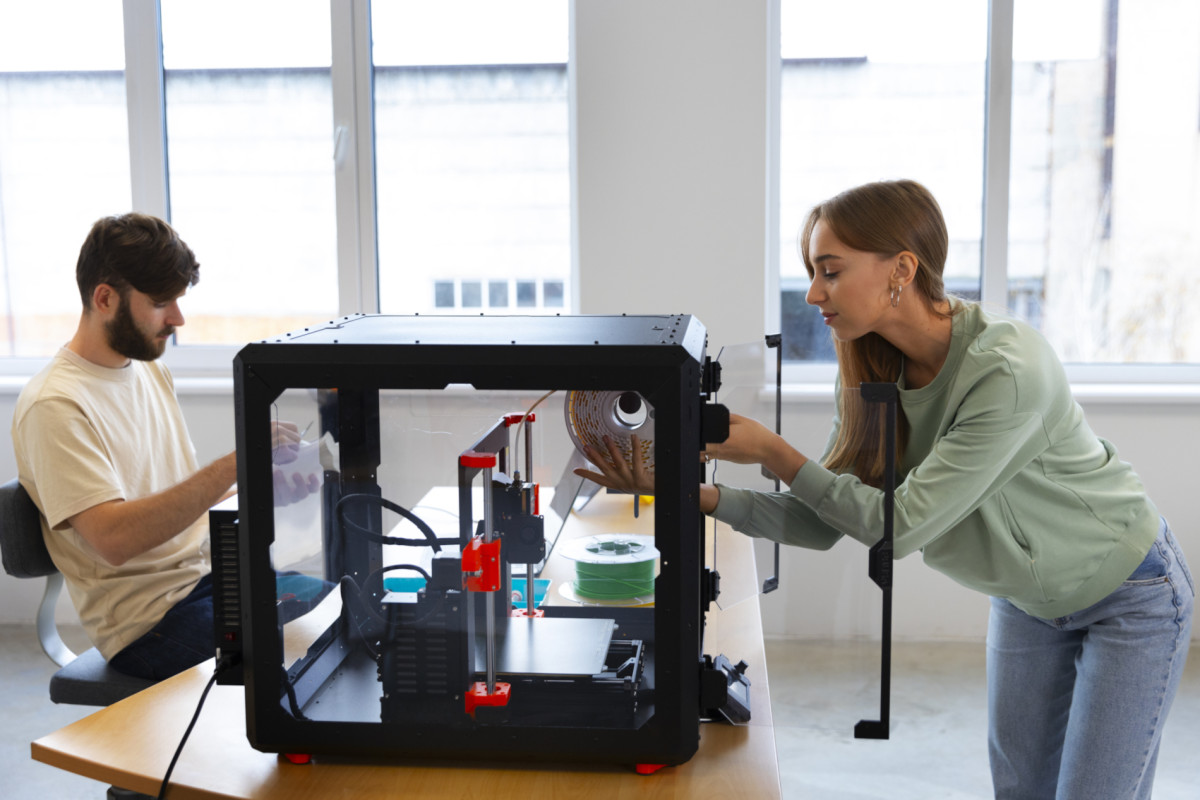
    Designers using 3d-printer

    The idea of launching a MakerSpace can feel intimidating, especially if you’re a small-to-medium-sized library. Expensive equipment, complex technology, and the fear of not having enough space often stop the conversation before it begins. However,

    A MakerSpace isn’t about the room. It’s about a mindset.

    Whether you have a single table, a corner of the reading room, or a small meeting space, your library can build a MakerSpace that fosters creativity, learning, and community engagement—without draining the budget. This guide is designed to help small libraries get started confidently, practically, and affordably.

    What Is a Makerspace?

    A MakerSpace is any area where patrons can learn, create, tinker, and explore using tools and materials provided by the library. It does not need to be high-tech.

    A MakerSpace can include:

    • Craft supplies
    • Coding kits
    • Robotics
    • Art materials
    • 3D printers
    • Digital media tools
    • LEGO bricks
    • Sewing machines
    • Vinyl cutting machines
    • Raspberry Pis
    • Photography equipment

    If your library supports creativity and hands-on learning, you may already have the start of a MakerSpace.

    Why MakerSpaces Matter for Small Libraries

    1. They support 21st-century skills.

    Patrons—especially kids and teens—need access to tools that build problem-solving, digital literacy, and creativity.

    2. They expand what the library can offer.

    A MakerSpace instantly turns your building into a hub for hands-on learning.

    3. They strengthen community relationships.

    Local artists, educators, hobbyists, and businesses often love partnering with MakerSpaces.

    4. They don’t need to be expensive.

    With thoughtful planning, your library can start for under $500—or even $0 by using materials you already own.

    Start Small: Choosing Your Makerspace Model

    Not every library needs a fancy room filled with equipment. Here are approachable options for small libraries:

    1. The Pop-Up Makerspace (Most Flexible)

    A pop-up MakerSpace uses mobile carts or bins to bring maker activities to any area of the library. Mobile carts are great for libraries with no dedicated space.

    • Popular pop-up maker activities include button making, LEGO building challenges, creating simple circuits, origami stations, coding with Ozobots or Sphero Minis, 3D pen drawing, and stop-motion animation using iPads.

    2. The Maker Cart (Budget-Friendly Workhorse)

    A rolling cart stocked with supplies becomes a “MakerSpace on wheels.” Staff can roll the cart to storytime, outreach events, the teen room, or classrooms.

    Include things like:

    • Craft tools
    • Duct tape / hot glue
    • Snap Circuits
    • Raspberry Pis
    • Makey Makey kits
    • Mini robots
    • Basic hand tools

    3. The Small Dedicated Corner

    Have room for a table and a few shelves? That’s enough.

    You might include:

    • 1–2 laptops
    • A 3D printer
    • Art supplies
    • A sewing machine
    • A Cricut Joy or Silhouette Portrait
    • Small robotics kits

    Recommended Starter Equipment (Budget-Friendly)

    Recommended budget-friendly starter equipment includes items that offer a good balance of affordability, durability, and ease of use.

    🧩 Low-Cost Starter Items

    • LEGO bricks
    • Play-Doh or modeling clay
    • Button maker + supplies
    • Coloring and crafting materials
    • Recycled cardboard for prototyping

    🖥 Beginner Tech Tools

    • Raspberry Pi kits (~$50–$70)
    • Makey Makey (~$50)
    • Snap Circuits (~$25–$40)
    • Sphero Mini robots (~$55)

    🖨 3D Printing

    Even a single printer can transform your MakerSpace.

    For small libraries:

    • Bambu Lab A1 Mini – fast, compact, low-cost
    • Bambu Lab P1S – great for higher volume
    • Prusa Mini – excellent but slower

    I find 3D printers offer the biggest “wow” factor for patrons.

    Programming Ideas to Get You Started

    Try offering simple workshops to introduce your MakerSpace to the community.

    Kids & Families

    • LEGO challenges
    • Button-making
    • Build-your-own bookmark station
    • 3D printed keychains
    • Sphero maze races

    Teens

    • 3D modeling basics
    • Coding mini-games in Scratch
    • Vinyl sticker design
    • Anime button art
    • Raspberry Pi retro gaming

    Adults

    • Cricut design workshops
    • Sewing 101
    • Photo digitization
    • “Fix-it Clinic” with community volunteers
    • Make-your-own greeting cards

    Tips for Running a Makerspace in a Small Library

    1. Start with what you have.

    You likely already own items that fit maker programming.

    2. Build slowly—don’t overspend.

    It’s better to grow intentionally than to buy equipment you never use.

    3. Provide guided activities at first.

    Open play is great, but structured programs build confidence.

    4. Make staff comfortable.

    Offer internal mini-trainings so everyone feels confident answering questions.

    5. Partner with community members.

    Local hobbyists love sharing their skills — often for free.

    6. Promote your successes.

    Share photos, stories, and finished projects on social media. Visibility builds momentum.

    How to Fund Your Makerspace

    Small libraries can use:

    • Friends of the Library donations
    • Local businesses (sponsor a printer or robotics kit)
    • Grants from state library organizations
    • STEM education grants
    • Amazon Wish Lists for supplies
    • Community fundraising events

    Even $100 can kickstart meaningful hands-on programming.

    Final Thoughts

    A MakerSpace is less about equipment and more about possibility. Small libraries are often the most creative because they’re used to stretching budgets and rethinking space.

    By starting small, focusing on community needs, and choosing tools strategically, your library can build a MakerSpace that feels welcoming, inspiring, and uniquely yours.
    Creativity doesn’t require a large room—only a place to begin.

  • How the Westhampton Free Library Saved $1,000 Using a 3D Printer for Summer Reading Rewards


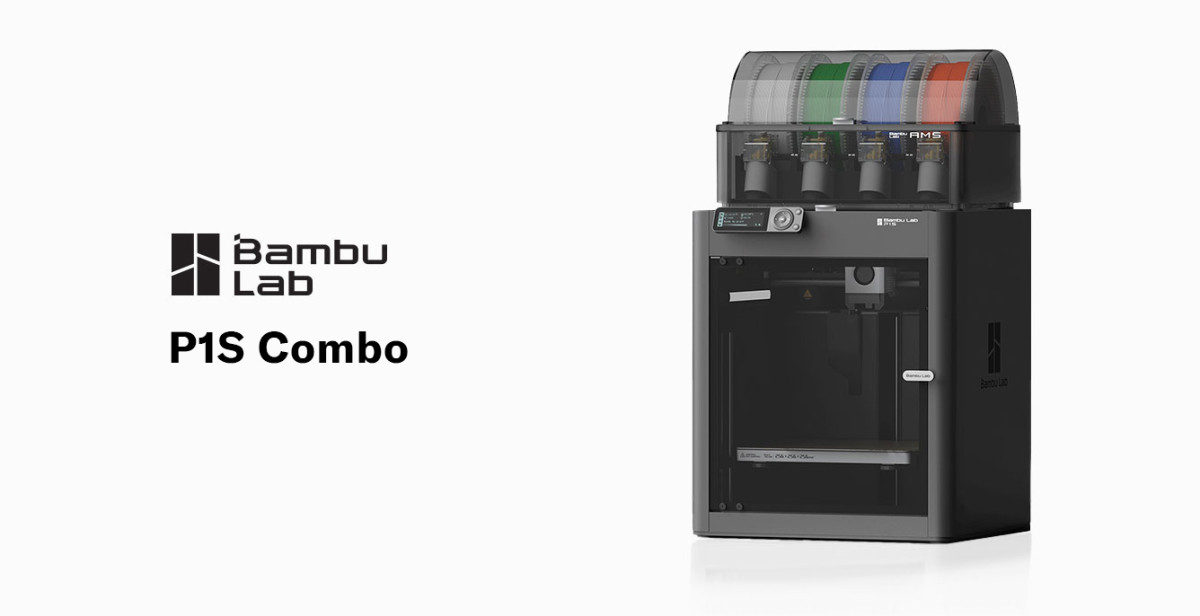
    BamBu Labs P1S 3D Printer

    I know I spoke about this in an earlier post, but today I want to give a case study on how affordable technology, such as 3D printing, benefits libraries. Every library looks for creative ways to stretch tight budgets, especially during big programs like the Summer Reading Club. At the Westhampton Free Library, we found an unlikely hero in our 3D printer—one that saved us over $1,000 in a single project, improved our program experience, and opened the door to new possibilities for future events.

    This is the story of how a simple idea, a spool of filament, and a little patience helped us rethink how libraries can use technology to cut costs and elevate programming.

    The Problem: 1,500 Wooden Coins at $1,000+

    Early in the summer planning process, our Children’s Department approached me with a financial dilemma: “We need to order 1,500 wooden reward coins for the Summer Reading Club.”

    Libraries often use these coins—affectionately called Library Bucks—as part of their summer reading club’s reward and incentive system. Kids collect the tokens as they complete reading challenges and trade them in for small prizes.

    The vendor our Children’s Department typically uses quoted more than $1,000 for the quantity needed. The price wasn’t surprising…but it also wasn’t ideal given our annual programming budget.

    So, instead of clicking “checkout,” we asked a simple question: “Could our 3D printers do this instead?”

    The Solution: A Custom 3D-Printed Coin “Library Bucks.”

    Designing the Coin

    One of our staff members has been learning Blender, a free and open-source 3D creation suite used for modeling, animation, rendering, and visual effects. We tasked her to design a simple round token with the library’s name around the edge, a book symbol in the center, raised edges for durability, and a thickness sturdy enough for kid use.

    Test Printing

    We ran prototypes on our Bambu Lab P1S using standard PLA filament. Each coin used ~1.5–2 grams of filament and took ~3 minutes to print. After a few iterations, we had a coin that was durable, polished, and easy to produce.

    The Print Run: A Thousand Coins, Zero Stress

    Batch Printing

    Each morning, we printed a batch of 25–30 coins, another batch after lunch, and one last batch before the library closed. This made the process incredibly efficient, enabling the project to be completed in less than a month.

    Performance

    Our Bambu printers ran continuously with no adhesion issues, very few failures, and consistent quality.

    The Final Result: A Huge Cost Savings + Better Patron Experience

    💰 Total Savings: Over $1000

    Estimated filament usage: ~4 kg
    Estimated filament cost: $75–$100

    🎨 Full Customization

    We were able to:

    • Add the library name
    • Customize the design
    • Personalize colors
    • Experiment with size and thickness

    🎉 Kid Appeal

    Kids loved the coins, with many asking, “Did the library make these?”

    🛠️ Future-Proofing

    Because we own the STL file, we can easily reuse or modify the design for:

    • Future SRC programs
    • Teen contests
    • Children’s games
    • Scavenger hunts
    • Makerspace events

    The Unexpected Benefits

    1. A Showcase of Technology

    Families saw the printers running before, during, and after the Summer Reading Club, sparking questions and interest in 3D printing.

    2. Cross-Department Collaboration

    The project strengthened collaboration between:

    • Children’s Services
    • Technology Services
    • Circulation

    3. A Proof-of-Concept for Future Savings

    Now, staff regularly brainstorm new items we could print rather than purchase.

    Cost Breakdown

    Item Vendor Cost 3D Printing  Cost
    1,500 wooden coins ~$1,500 ~$75–100 PLA
    Shipping $50–$100 $0
    Customization Extra fee Free
    Total ~$1,500+ ~$100

    Total Savings: ~$1,400

    Tips for Libraries Wanting To Replicate This Project

    • Use a reliable, fast printer (Bambu Lab P1S or Prusa MK4S recommended)
    • Keep the design simple for fast, clean printing
    • Batch your prints to reduce staff oversight
    • Use PLA filament for durability and ease of use
    • Save your STL files for future reuse and adaptation

    Final Thoughts

    This project wasn’t just about saving money. It showcased how technology can reshape library operations and improve programming.

    At the Westhampton Free Library, a project that once cost over $1,000 now costs about $100—and the results were better, more customizable, and more engaging for our patrons.

    3D printers aren’t just for MakerSpaces; they’re powerful tools that help libraries stretch budgets, rethink supplies, and build innovative programs for the community.

    And sometimes, they help you save a thousand dollars in the process.

  • Stretching Creativity (and Budgets) with 3D Printing in the Library

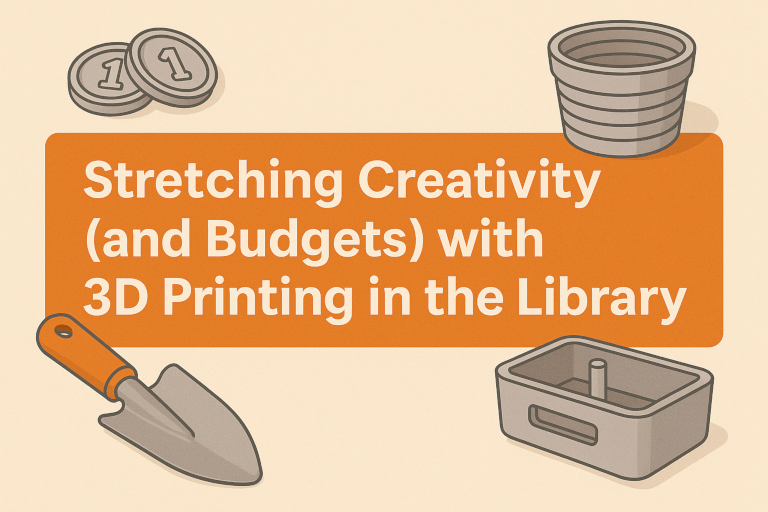
    Stretching Creativity (and Budgets) with 3D Printing in the Library Banner

    In today’s library world, creativity and technology often go hand in hand—and sometimes the most innovative solutions come from thinking small. At the Westhampton Free Library, we’ve discovered that our 3D printers aren’t just fascinating gadgets—they’re also powerful tools for saving money and supporting programs across departments.

    Our library currently has three 3D printers: two Bambu Lab P1S printers and one Bambu Lab A1 Mini. These compact machines have become an integral part of how we bring creative ideas to life. Patrons regularly submit print requests for their own 3D models, and our staff uses the printers to support programming that stretches our budget while adding a unique creative flair.

    Turning Plastic into Possibility

    One of our biggest 3D printing success stories came from our Children’s Department. Each summer, the department runs a popular Summer Reading Club, where children earn Library Bucks—small coins redeemable for prizes. In previous years, we purchased printed wooden coins at a cost of over $1,000 for 1,500 pieces.

    This year, we decided to try something different. Instead of ordering coins, we printed them in-house using our 3D printers. The results were not only visually appealing but also durable, customizable, and completely reusable. Best of all, the switch to 3D-printed coins saved the library over $1,000—proving that creativity can be just as valuable as funding.

    Growing Ideas in the Garden

    Our Adult Services Department also found innovative ways to use 3D printing. The library’s Seed Library and Reading Garden have become community favorites, offering patrons a chance to borrow seeds, learn about sustainable gardening, and enjoy the beauty of plants grown right here at the library.

    To support these efforts, we’ve used our 3D printers to create custom gardening tools, planters, and propagation station accessories. These printed items are not only functional but also align with the library’s commitment to sustainability—reducing waste, reusing materials, and producing what we need right on-site.

    Why 3D Printing Makes Sense for Libraries

    For libraries on tight budgets, 3D printing represents an opportunity to combine technology, creativity, and practicality. Once the printers are set up, the ongoing costs are minimal—a roll of PLA filament costs around $15–$25 and can produce dozens of items.

    From signage holders and name tags to program supplies and educational models, the potential uses are endless. Beyond saving money, these projects showcase how libraries can be MakerSpaces for the community, inspiring innovation and hands-on learning.

    At the Westhampton Free Library, our 3D printers have become much more than equipment—they’re creative problem-solvers that help every department do more with less. Whether it’s printing a prize for a child, a tool for a gardener, or a model for a curious patron, 3D printing has proven to be one of our most versatile and valuable technologies.

    💡 Benefits and Takeaways

    • Saves money: 3D printing reduces costs for program materials and supplies.
    • Encourages innovation: Staff and patrons can design and create solutions in-house.
    • Supports sustainability: Produces only what’s needed with minimal waste.
    • Engages the community: Demonstrates the library’s role as a creative technology hub.